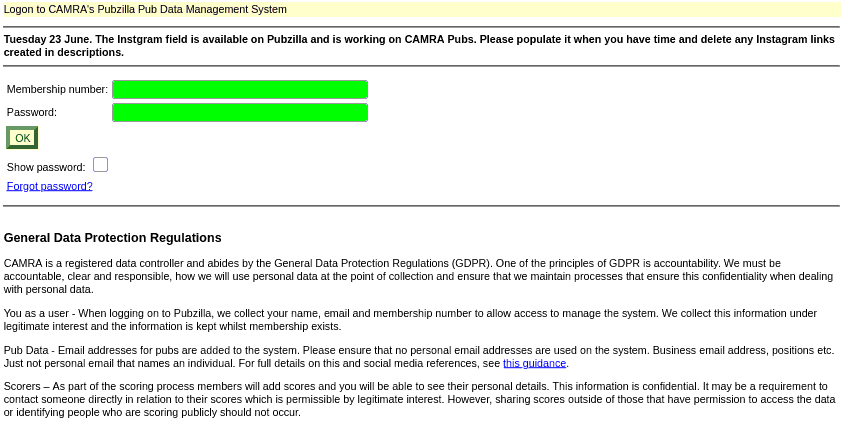
Pubzilla Login Screen
Enter your Membership Number and your CAMRA Password, then click [OK]
Use the information below to:
* Find Pub Survey Forms
* Update Pub/Club Data
Pubzilla Login Screen
Enter your Membership Number and your CAMRA Password, then click [OK]
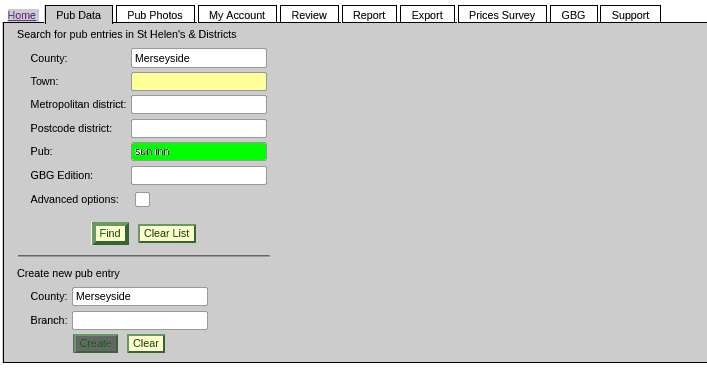
Pub Data (Search)
Enter the name of the Pub or Club or search by Town, then click [Find]

Finding the Pub or Club
Click on the Pub or Club

Finding the Survey Form
Click CSV, as shown in the image above and select Survey Form from the drop down menu.
Then click [Download] to get the form

Getting Started
Click [Edit Entry]
You will then be able to change the information
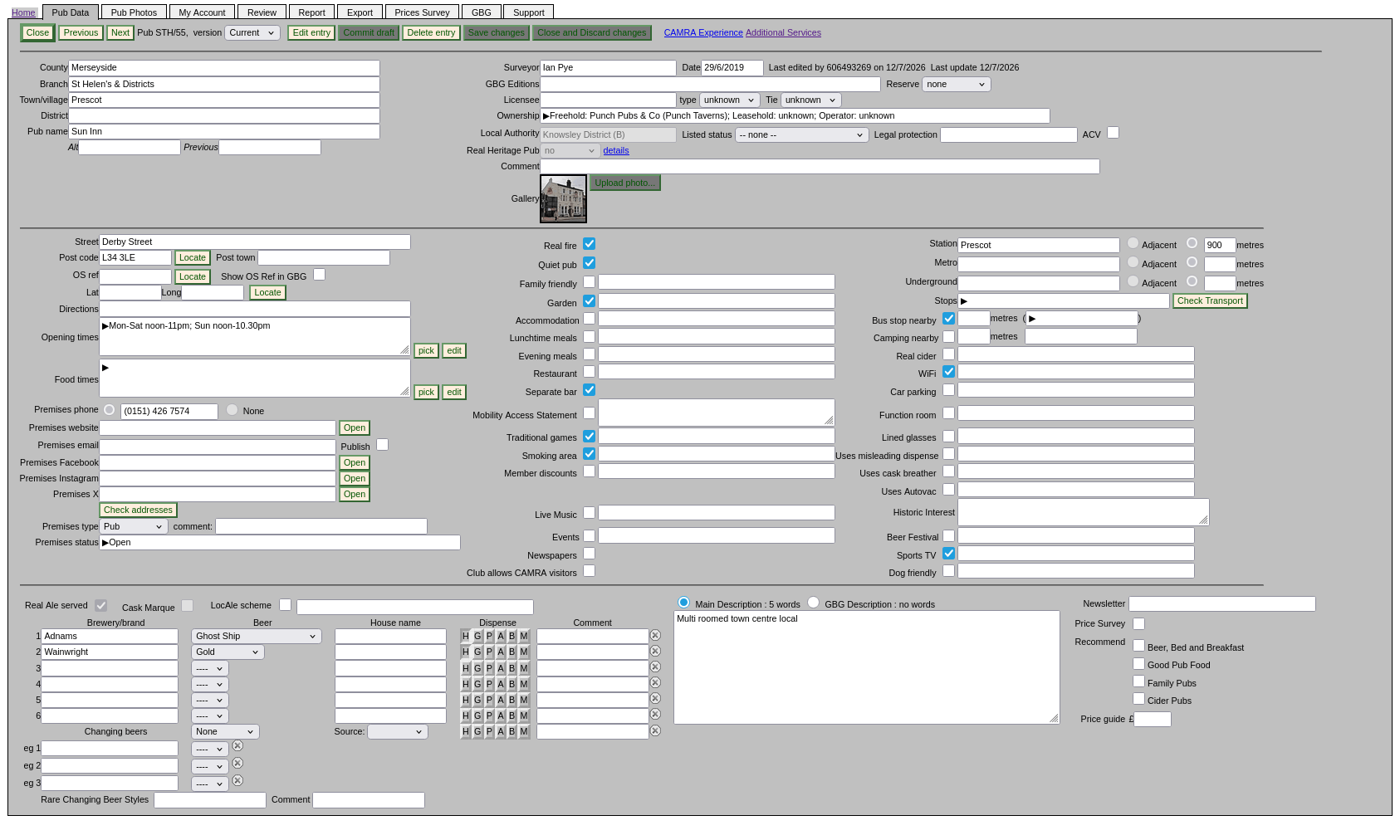
The Pub Data
Complete as much of this form as possible
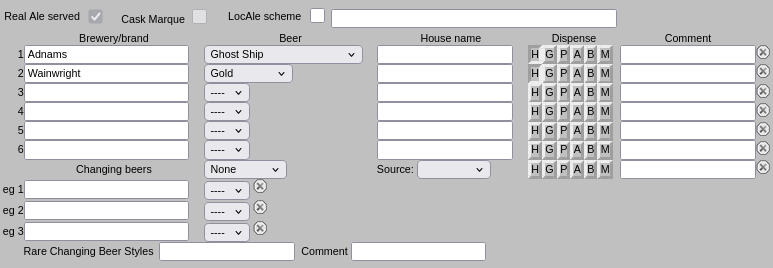
Beer Information
You must indicate how each of the regular beers is dispensed.
Press the push buttons for each that applies. The codes are as
follows:
H = hand pump
G = gravity, straight from the cask
P = electric or gas powered pump
A = air pressure
B = Real Ale in a Bottle
M = Membrane keg dispense system
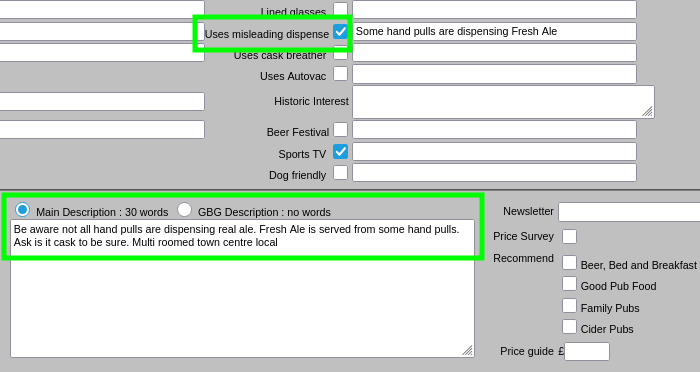
Misleading Dispense
These must not be included in the Real Ale section.
Tick the "Uses misleading dispense" box
Add a comment in the Main Description, such as:
"Be aware not all hand pulls are dispensing real ale. Fresh Ale is served from some hand pulls. Ask is it cask to be sure"
Saving
Click [Save Changes]
Click [Commit draft] and confirm [OK}

Saving
Click [Save Changes]

Commit Draft
Click [Commit draft] and confirm [OK}
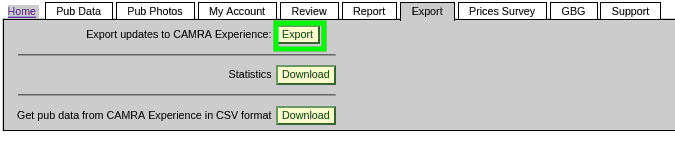
Submitting the data
When you have updated all the pubs and clubs that you need to then click on the Export tab.
Click the [Export] button and the information will be checked for errors

Start the data export
Click [Export] again to upload all the information
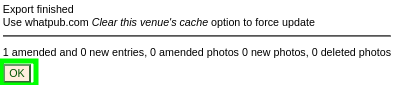
All done
You can then click back on the Pub Data tab to ensure that all your changes have been uploaded.